DISCOVERY
Discover nearby opportunities
Find nearby businesses. Filter by category and focus on the prospects that fit.
Find nearby businesses
FIELD SALES. ALL IN ONE PLACE.
Discover local businesses, plan your knocks and turn visits into opportunities.
Your map, leads and follow-ups. One connected sales day.

YOUR DAY, CONNECTED
From discovery to follow-up, every part of the field sales day works faster when it lives in one app.
DISCOVERY
Find nearby businesses. Filter by category and focus on the prospects that fit.
Find nearby businesses
TEAM MODE
Assign your territory and keep everyone clear on who is working where.
Share the patch
LASSO
Draw around a patch and bring the businesses inside it into focus.
Select an area fast
ROUTES
Bring your stops together in a practical order, with the journey in view.
Plan your next visits
LEADS
Capture the outcome, add a note and keep the next step with the lead.
Keep records updated
FOLLOW-UPS
Choose a date and time while the conversation is still fresh.
Book the next step
App interface previews with sample businesses, people and journeys.
DISCOVERY
Find businesses in the area you want to work. Keep the promising ones on your map, ready for your next conversation.
KnockMap is a field sales app for people who win business in person. It connects business discovery, lead records, daily planning and team activity in one place.
From your first visit to a booked appointment, quote or deal, keep the next action connected to the business. Spend less time piecing your day together.
Explore the full toolsetMADE FOR REAL CONNECTIONS
The places, people and next steps that turn an ordinary day into a productive one.
Good conversations start with a little direction.

OUT THERE IS WHERE IT HAPPENS.
Take your plan into the real world. KnockMap keeps the details together.
The next step, always in sight.
TEAMS & TERRITORIESConnected people. Clearer possibilities.
YOUR ACTIVITYA clearer view of your progress.
Illustrative app content and activity.
Step inside KnockMapLESS ADMIN. MORE OPPORTUNITY.
Follow a sales day from finding a business to picking up the next conversation.
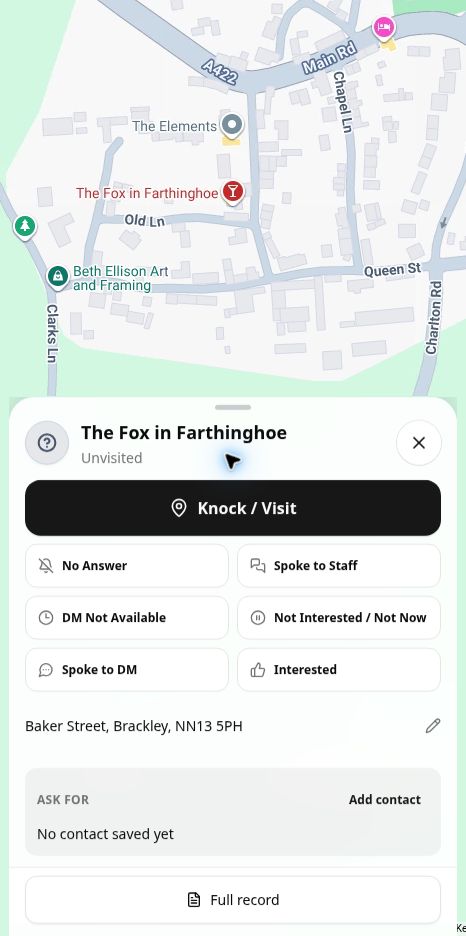
Explore four distinctive featuresHeading out to speak with local café owners? Explore your chosen area, filter by business category, and review a business before saving it as a lead. Start the visit with useful context.
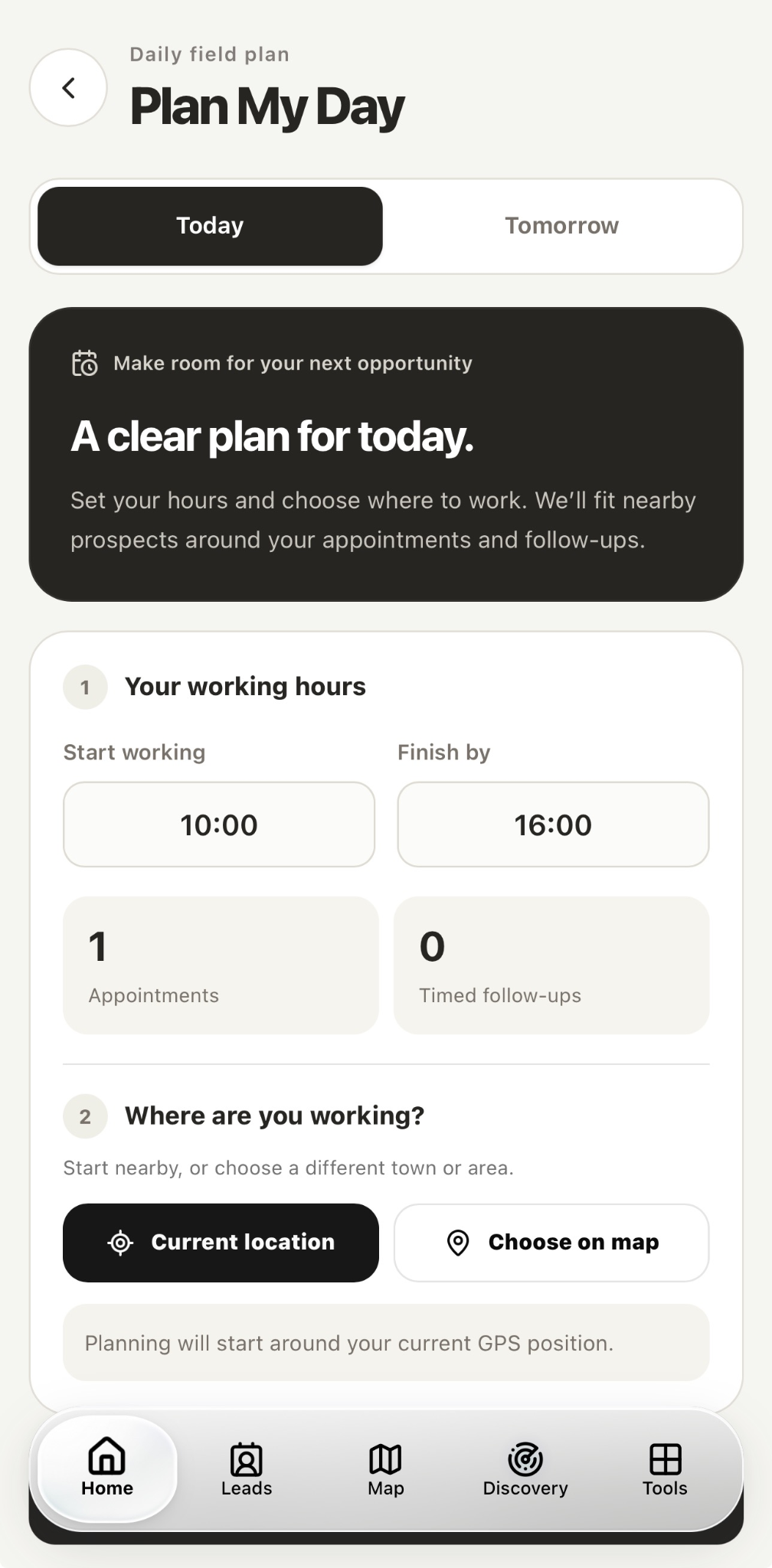
Set your working hours and choose where you’ll be. Plan My Day brings appointments, follow-ups and nearby opportunities into one useful plan.
The owner is busy until Thursday. Save that detail, update the lead’s status and set a follow-up while the conversation is still fresh.
Give Alex the market district and Jamie the riverside. Use territories to organise their areas, then choose who can access lead notes and follow-up details. Keep everyone clear on their next step.
Bring your field activity into focus. Look back at your visits, see your weekly rhythm, and use what you’ve learned to plan your next day.
A MAP WITH A NEXT STEP.
Discover a business, choose your area, and bring your team into the conversation. See how each part fits into a day in the field.
Find businesses in the area you want to cover, filter by category, and review a place before saving it as a lead.
Example: Find a nearby café, review its details, and decide whether to save it as a lead.
KnockMap interface previews. Sample data.
LOOK INSIDE
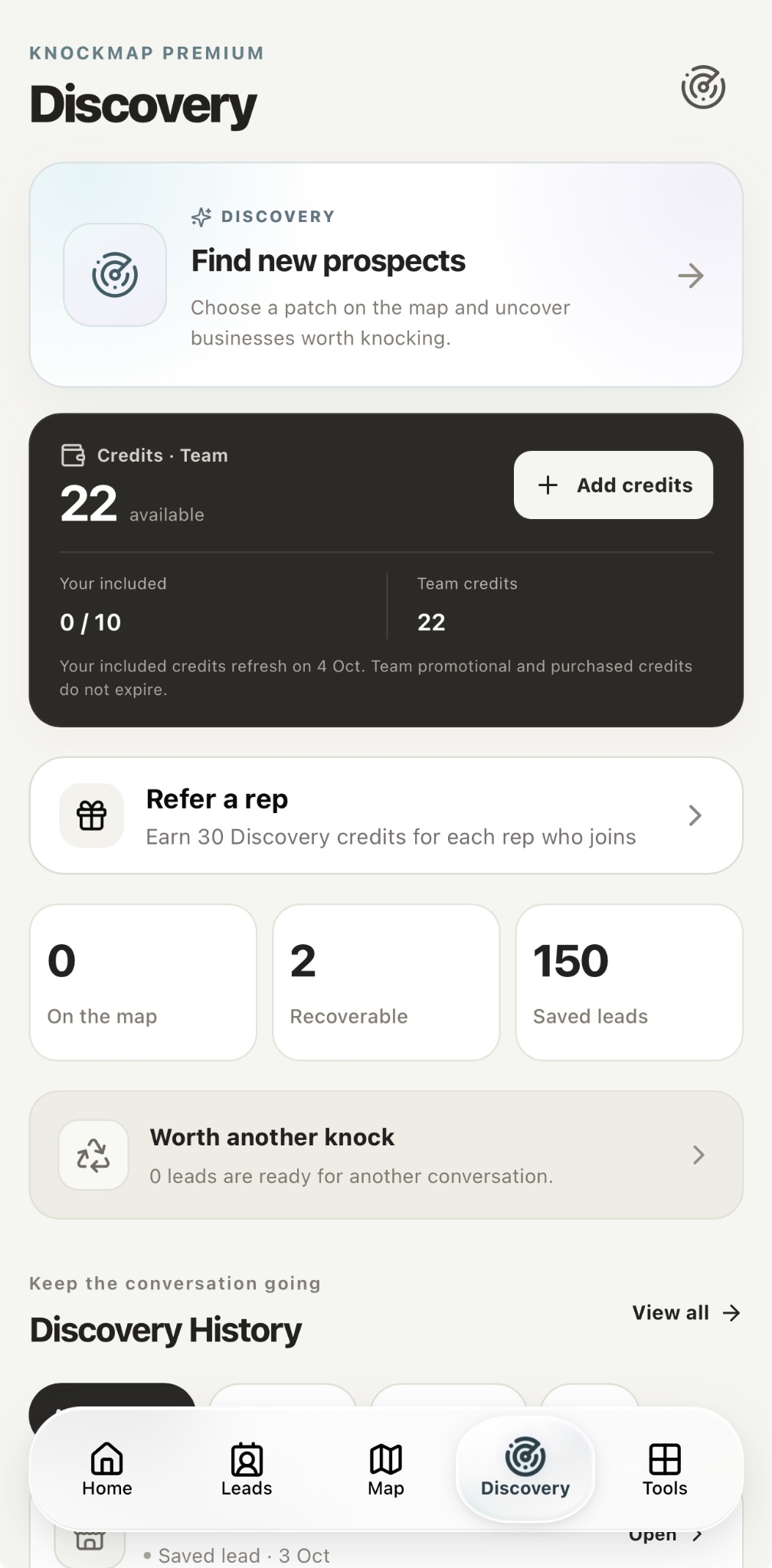
See your Discovery credits, return to previous prospects and keep the businesses worth another conversation in view.
Captured from KnockMap. App screens may evolve.
THE WHOLE WORKING DAY
From finding a business to reviewing the week, KnockMap connects the tools you use in the field. Explore what’s inside.
Feature access, limits and team controls depend on your plan and permissions. Discovery uses credits where applicable. Explore the plans or ask us about your workflow.
MADE FOR YOUR KIND OF WORK
If your business starts with a conversation, you’re in the right place.
Make your patch your own. Organise your prospects, plan your visits, and keep your pipeline moving.
Find local businesses, capture the details that matter, and build better relationships with business owners.
Connect your people and territories, set permissions, and give everyone a clearer view of the next step.
Your lead notes are for your workspace and the people you choose to share them with. Team permissions help you keep the right information with the right people.
LET’S CLEAR A FEW THINGS UP
KnockMap brings business discovery, lead records, route and day planning, appointments, quotes, deals and team activity into one field sales workspace. Explore the full toolset above to see how each part supports your day.
Independent sales reps, merchant services professionals, and field sales teams who visit businesses and build relationships face to face.
Both. You can organise your own sales activity or work with a team using shared territories, invitations, and permissions.
Lead information is intended for your workspace and the team members you choose to share it with. Your notes are not a public directory for other sales reps.
The device previews combine current KnockMap app captures with source-matched feature views using sample data. They explain the app without connecting to a visitor’s account. The live app may evolve as we improve it.
Use the KnockMap web app in your browser. Already have an account? Log in here. Dedicated iPhone and Android apps are planned; store release dates have not been announced.
YOUR NEXT MOVE
Start in your browser. Keep the same KnockMap account with you from your desk to your next visit.